

SRB Field Technician OTA setup - Platform.io
Pre-Requisites
Section titled “Pre-Requisites”- Install VSCode: link
- Install Platform.io VSCode extension: link
- download the codebase as a zip and unzip in a suitable location
- Open the project in VSCode
- File > Open Folder > Browse to project folder
- Connect the ESP32 or PCB assembly to your laptop via a USB-C cable
- In the platform.io toolbar (bottom of VSCode window)
- Select the usb serial device matching the ESP32, usually
cu.usbserial-0001 - Upload the firmware with the → arrow icon
- Open the Serial Monitor, set baud rate to
115200 - Optional pro tip: follow this guide to setup 1 click upload and monitor
- Select the usb serial device matching the ESP32, usually
- On another device (mobile phone or laptop), join the network being broadcast by the ESP32, the name will be in your Serial Monitor output and appear as
SRB-Setup-XXXX - This should prompt a splash page to open. Enter the desired WiFi SSID and password here, the ESP32 will try to connect to that network.
- Use your mobile hotspot or a known local network! 🛜
- At this point, the device should connect to the Reusable thinger server as
remote-otaand be ready for an OTA update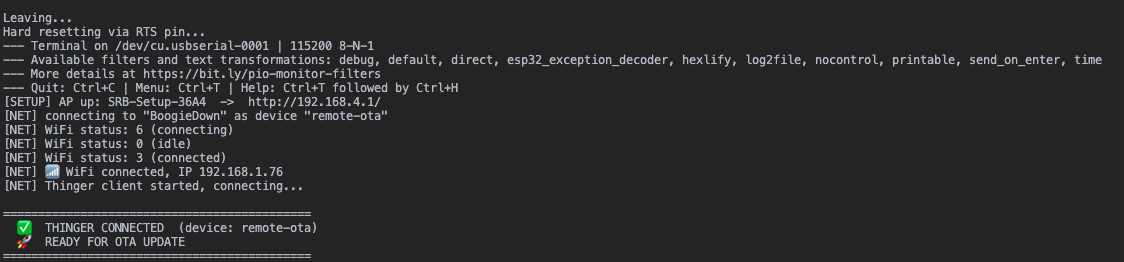
Video Demo
Section titled “Video Demo”Assuming the ESP32 and your computer are connected